DJI Mic Mini action button
Short-press the linking button to activate dictation and open the mic. Press again to close it.
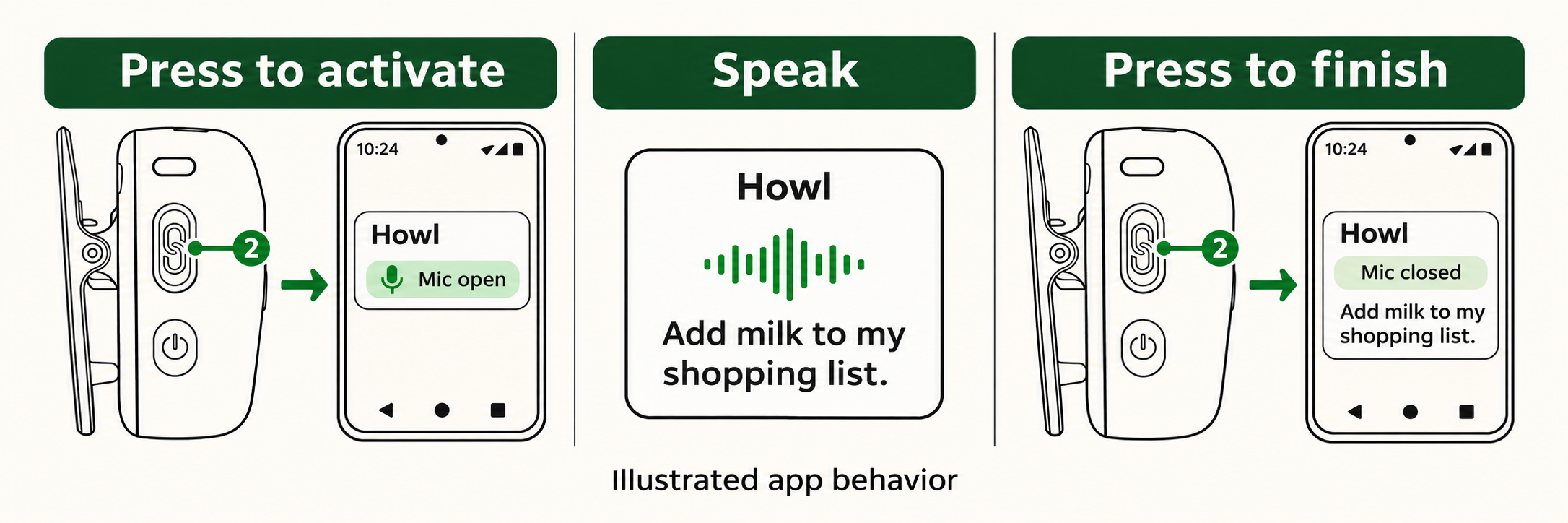
We wired this into Howl, our Android dictation app. The first press brings up its recording overlay. The next stops capture for transcription. The transmitter connects directly to the phone over Bluetooth.
Check the button against DJI’s diagram
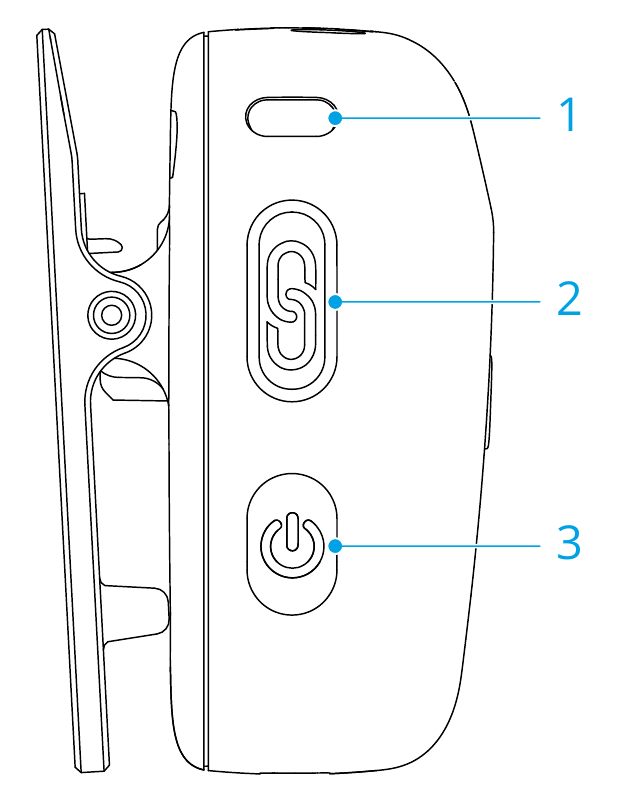
Use the chain-link button marked 2. Hold it for two seconds to pair the transmitter. Use short presses for the app action. Diagram from page 5 of DJI’s manual. DJI manual
The Bluetooth signal
Open a Bluetooth Classic RFCOMM socket with the Serial Port Profile UUID 00001101-0000-1000-8000-00805f9b34fb.
Each 125-byte audio frame carries one status byte. Collect those bytes into a 22-byte message. Here is a captured press. Byte 12, counting from zero, changes to 01.
55 16 05 2C 19 00 00 01 77 97 02 20 01 01 00 20 00 00 00 00 00 00
                                    ↑
                              button event
Idle is 00. Validate CRC-8 before triggering an action. The reader handles the outer framing, status reassembly, checksum and 500 ms debounce.
Use it for your own action
Pair the mic, copy the Java reader into your Android app, then pass it the socket’s input stream on a worker thread.
val buttons = DjiMiniButton(
    { mainExecutor.execute { toggleRecording() } },
    SystemClock::elapsedRealtime
)
buttons.listen(socket.inputStream)
Run the reader in a foreground service and reconnect after a dropped socket. Keep partial messages across delivery pauses. Button detection requires no audio decoding.
Leave the transmitter’s indicator enabled. In our tests, the LED-off setting consumed the first press waking the indicator.
See the captured start and stop
12:49:56.267  DJI connect-button press
12:49:56.720  DJI decoder awake for recording
12:51:12.748  DJI connect-button press
12:51:12.783  DJI decoder sleeping while microphone is closed
App logs from the Android test. Process identifiers removed.